
Cloud‑based digital asset management (DAM) systems provide a centralized, searchable hub for all your digital files. Unlike basic cloud storage, a DAM uses metadata, permissions and workflow automation to organize assets, speed up collaboration and maintain brand consistency across channels.
In the digital age, businesses produce and consume an immense volume of media files—images, videos, presentations, design files, audio clips, documents and more. These digital assets fuel marketing campaigns, power social media posts and facilitate internal collaboration across departments and geographies. Yet the sheer scale and variety of these assets can quickly overwhelm teams if they are scattered across personal drives, email attachments and basic cloud storage folders. Without a centralized, organized system, teams lose time searching for the right version of a file, risk publishing outdated content and struggle to maintain brand consistency. This is where digital asset management (DAM) comes in, and when combined with cloud technology, it becomes an indispensable tool for modern enterprises.
This comprehensive guide explores cloud‑based digital asset management from every angle. You will learn what digital assets are, why they matter, and how DAM systems organize and leverage these assets. You will discover what makes cloud‑based DAM distinct from traditional on‑premises solutions and how it differs from standard cloud storage services like Google Drive, OneDrive and Dropbox. The guide also answers common questions: Is Google Drive a DAM? Is OneDrive or Dropbox considered a DAM system? Is Google Drive a software‑as‑a‑service (SaaS) or platform‑as‑a‑service (PaaS)? We will examine key features of cloud‑based DAM platforms, outline their benefits for teams and organizations, provide criteria for selecting the right solution and review some leading software options. By the end, you will have a clear understanding of how cloud‑based digital asset management can streamline workflows, enhance brand consistency and unlock greater productivity for your business.
Digital asset management is a business process and technological solution designed to store, organize, manage, retrieve and distribute an organization’s digital files. At its core, a DAM system acts as a centralized repository—sometimes called the “single source of truth”—for all multimedia and marketing assets. These assets include any file type of value that is owned or licensed by the organization and used to support its marketing, communications, sales and product efforts. Common examples include photographs, illustrations, video footage, audio recordings, logos, brand guidelines, slide decks, infographics, e‑books, white papers and packaging designs.
A digital asset becomes valuable when it is easily discoverable, accessible and usable by the right stakeholders at the right time. To facilitate this, DAM platforms index assets with rich metadata—descriptive information that includes tags, keywords, categories, version numbers, usage rights, creators, creation dates, and associated campaigns or products. By attaching metadata, a DAM system enables robust search capabilities, ensuring that users can quickly locate specific assets based on attributes like file type, theme or usage rights.
Digital asset management is both a practice and a technology. As a practice, it encompasses governance and workflows to ensure assets are created, reviewed, approved, stored, updated, retired and archived according to agreed‑upon standards. As a technology, it encompasses specialized software that provides the infrastructure to store files, manage permissions, automate workflows and integrate with other systems such as content management systems (CMS), product information management (PIM) platforms, marketing automation tools and design applications.
In today’s omnichannel marketing landscape, where brands must deliver consistent experiences across websites, social media, mobile apps and print campaigns, having a robust DAM system is no longer optional. It provides efficiency by eliminating the time wasted searching for files, reduces costs by avoiding duplicate production, safeguards brand consistency by ensuring everyone uses the latest approved assets and mitigates risk by controlling access and usage rights. For creative teams, marketers, salespeople and external partners, a DAM platform becomes the shared foundation from which they can collaborate, create and deliver compelling content.

Traditional DAM systems were often deployed on on‑premises servers. While on‑prem solutions provide control over data and infrastructure, they require significant capital investment in hardware and maintenance, as well as dedicated IT resources to install updates, manage storage and ensure security. In contrast, cloud‑based digital asset management leverages cloud computing to deliver DAM capabilities as an online service. This means the software, storage and infrastructure are hosted offsite by the vendor and accessed through a web interface.
Cloud‑based DAM platforms retain the core functions of a traditional DAM—centralized asset storage, metadata management, workflow automation and access controls—but offer additional benefits inherent to cloud technology. They provide scalability, allowing organizations to add storage or features without purchasing new hardware. They improve accessibility, enabling teams and external partners to access assets from anywhere with an internet connection. Cloud solutions typically offer regular updates and new features without disruption, as the vendor handles upgrades and maintenance behind the scenes. They also enhance disaster recovery, as assets are stored in redundant, distributed data centers rather than a single on‑premises server.
In a cloud‑based DAM, users log in through a secure web portal to upload, tag, search, preview, share and download assets. Administrators can configure user permissions at granular levels—for example, granting view‑only access to external agencies, editing rights to designers and approval rights to brand managers. Workflows can be automated; for instance, a new asset can be routed for review, labeled with standardized metadata, versioned and released. Some cloud DAM platforms incorporate AI technologies, such as auto‑tagging images using computer vision, transcription of audio or video content, and similarity search to find related assets. Cloud‑based DAM solutions often integrate with other cloud applications via APIs, enabling seamless transfer of assets into CMS, social media publishing tools, CRM systems, marketing automation platforms and design tools like Adobe Creative Cloud.
Cloud‑based DAM combines the discipline of digital asset management with the flexibility of cloud computing. For growing businesses, it offers a cost‑effective way to implement a robust DAM without large upfront investments. For enterprises, it provides scalability and the ability to support distributed teams, remote work and global collaboration. By shifting the infrastructure burden to a service provider, organizations can focus their resources on creating and using content rather than managing servers and software installations.
It is common to conflate cloud‑based digital asset management systems with cloud storage services. While both types of software store files in the cloud and enable sharing and collaboration, their purpose and capabilities differ significantly. Understanding these differences is critical for selecting the right tool for your organization.
Cloud storage services—such as Google Drive, Microsoft OneDrive and Dropbox—are primarily designed for general file storage and basic collaboration. They allow users to save files in the cloud, synchronize them across devices and share links with others. These platforms are intuitive, widely used and suitable for individual users, small teams or organizations with simple storage needs. Cloud storage solutions excel in ease of use, real‑time document editing (for office documents) and basic file organization through folders and simple tagging. However, they are not purpose‑built for managing large volumes of diverse media assets or for maintaining consistent branding.
A cloud‑based DAM, on the other hand, is engineered to handle complex asset libraries and sophisticated workflows. It provides structured organization through folders, collections, asset groups and metadata. Metadata is central to a DAM, enabling deep tagging, keyword assignment, version tracking and rights management. Advanced search features allow users to filter assets by attributes, usage rights, file type, campaign, date range and more. DAM platforms support automated workflows for asset lifecycle management—uploading, editing, approving, distributing and archiving. They often include built‑in features for asset transformation, such as converting file formats, resizing images or generating different renditions of video content.
Furthermore, cloud‑based DAM systems integrate with various enterprise tools (CMS, PIM, CRM, project management and creative tools) to automate asset delivery across channels. They provide granular user roles and permissions to control access to sensitive assets, enabling compliance with brand guidelines and licensing agreements. They also include analytics and reporting features to track asset usage, monitor download trends and measure return on investment. In contrast, general cloud storage services lack advanced metadata management, workflow automation, asset rendition features and integration with specialized marketing and design tools.
In summary, while cloud storage services are an excellent starting point for storing files and basic collaboration, organizations with large or growing asset libraries, multiple stakeholders, complex approval processes and brand management requirements will quickly outgrow them. A cloud‑based digital asset management platform provides the structured, scalable and secure environment necessary to manage digital assets effectively throughout their lifecycle.
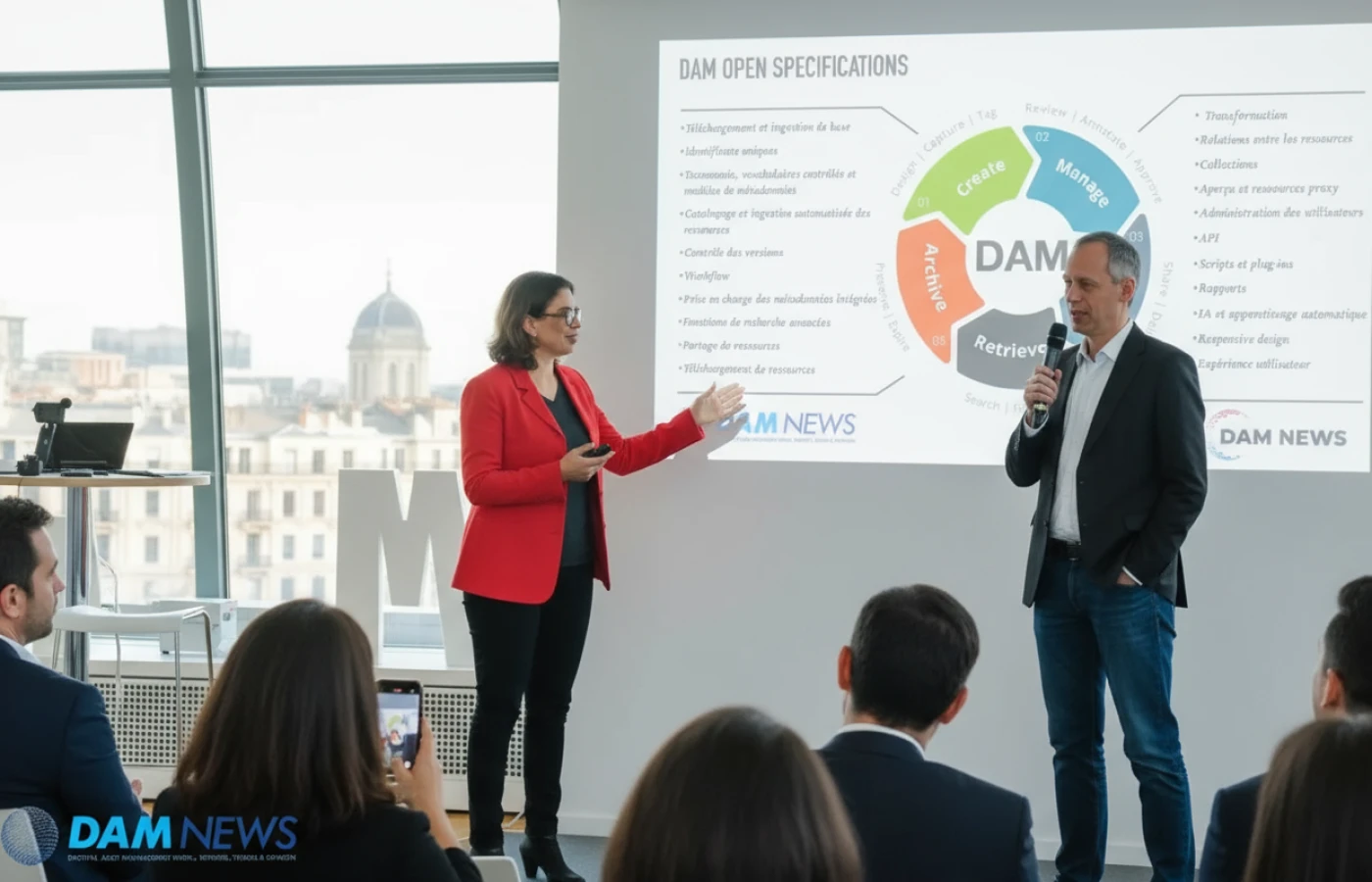
Google Drive is one of the most popular cloud storage services in the world. It provides free and paid plans, generous storage space, file synchronization across devices and collaborative editing through Google Docs, Sheets and Slides. It also offers basic file sharing via links and allows users to set permissions for viewing or editing. Because of its ubiquity and cloud‑based nature, it is sometimes mistaken for a digital asset management system. However, Google Drive is not a true DAM.
A digital asset management system organizes, secures and distributes digital assets with metadata, version control, user permissions and automated workflows. Google Drive provides folder hierarchies and some metadata fields (such as file type, owner, and last modified date), but it lacks robust metadata management features like custom tags, categories, usage rights or advanced search capabilities. In Google Drive, assets must be manually named and filed in folders; there is no built‑in feature for assigning keywords or automatically tagging images with metadata. This can lead to inconsistent file naming conventions, duplicate files and difficulty finding assets when needed.
Additionally, Google Drive does not provide advanced version control for creative assets. While it tracks document versions for Google Docs, it doesn’t support version history or multi‑format renditions for images, videos or design files. It also lacks workflow automation for asset approval, review or distribution. You cannot set up an automatic process where a new design is routed to a brand manager for approval and then published to a CMS. Google Drive’s sharing features allow you to set permission levels (viewer, commenter or editor), but these are not as granular as those in a DAM, which can specify who can access specific collections, view watermarked previews, download different resolutions or modify metadata.
Finally, Google Drive does not integrate deeply with marketing systems, CMS or creative tools in a way that facilitates streamlined publishing. While it can store files that are later uploaded to social media or a website, there is no direct integration that pushes approved assets to those systems with metadata intact. For teams managing complex campaigns, brand assets or product media across multiple channels, these limitations become significant bottlenecks. Thus, Google Drive should be considered a general cloud storage solution rather than a digital asset management system.
Microsoft OneDrive is another widely used cloud storage service. It comes integrated with Microsoft 365, offering seamless synchronization across Windows devices and integration with Office applications such as Word, Excel and PowerPoint. Like Google Drive, OneDrive provides cloud storage, file sharing and collaborative editing, but it is not a digital asset management system.
OneDrive organizes files within folders and supports basic sharing options, including private links and expiration dates for shared links. It also offers built‑in version history for Office documents, making it easy to restore previous versions of a text document or spreadsheet. However, OneDrive lacks features critical to a DAM, such as extensive metadata tagging for images, videos and graphics; advanced search based on custom attributes; and automated approval workflows.
A digital asset management platform typically enables teams to store multiple renditions of the same asset (e.g., different resolutions or file formats) and manage their relationships through version control. OneDrive treats each file as a separate entity; there is no way to link different formats of the same asset or ensure that users always access the correct version for a given use case. OneDrive also does not provide mechanisms to enforce brand guidelines, track usage rights or restrict asset distribution beyond basic file permissions.
Furthermore, OneDrive does not integrate directly with marketing automation tools, CMS platforms or design software in a way that automates asset delivery or ensures metadata consistency across systems. While Microsoft offers other products (such as SharePoint, Teams and Azure) that can extend functionality, the combination still falls short of the specialized capabilities offered by dedicated DAM systems. For organizations that rely heavily on media assets for marketing, creative production and omnichannel distribution, OneDrive should be viewed as a file storage solution rather than a complete digital asset management system.
Dropbox is another major player in cloud storage, known for its simplicity, cross‑platform synchronization and wide adoption among individuals and businesses. Dropbox pioneered the idea of a “sync folder” that keeps files updated across devices. It offers personal and business plans, file sharing with adjustable permissions, and integration with collaboration tools such as Slack and Zoom. However, like Google Drive and OneDrive, Dropbox is not a digital asset management system.
A key limitation of Dropbox is its reliance on folder structures for organization. While it has introduced features like Paper for collaborative documents and a basic tagging system, Dropbox’s metadata capabilities are minimal. Files can be manually tagged with keywords, but this tagging is not enforced nor does it support hierarchical taxonomies, advanced filtering or usage rights management. This makes it challenging for teams to maintain consistency across large libraries of assets.
Dropbox does offer version history, allowing users to restore previous versions of files. However, it does not support multiple renditions or automatic file conversions. To resize an image for various social media platforms or convert a video to different formats, users must use external tools and upload each version separately.
Dropbox Paper can support collaboration and brainstorming, but it does not provide automated workflows for asset approval. There is no built‑in mechanism to manage review cycles, assign tasks, collect feedback, or track which assets have been approved for use. Dropbox also lacks the deeper integration with CMS, PIM and marketing automation systems found in dedicated DAM platforms. It can store assets used in campaigns, but the process of transferring and publishing those assets remains manual.
Therefore, while Dropbox is an excellent tool for general cloud storage and simple file sharing, it does not meet the requirements of an enterprise‑grade digital asset management system. Organizations that need robust metadata, workflow automation, asset renditions and cross‑platform integration should consider implementing a purpose‑built DAM solution.

To classify Google Drive, it is helpful to understand the distinctions between the different models of cloud computing: Infrastructure as a Service (IaaS), Platform as a Service (PaaS) and Software as a Service (SaaS).
Infrastructure as a Service provides virtualized computing resources over the internet, such as servers, storage and networking. Users manage operating systems and applications on top of the infrastructure. Platform as a Service offers a framework for developers to build, test and deploy applications without managing underlying hardware or operating systems. SaaS delivers fully functioning applications to end users over the internet; the vendor manages the infrastructure, platform, security and application updates.
Google Drive is a cloud storage application delivered to end users via the web. Users do not manage servers or underlying platforms; they simply sign into their Google account to store and access files. In this sense, Google Drive is a Software as a Service offering. It provides a ready‑made application for file storage, synchronization, sharing and collaboration.
By contrast, Google Cloud Platform (GCP) includes PaaS services like App Engine, which provides a platform for developers to deploy applications, and IaaS services like Compute Engine, which provides virtual machines. Google Drive sits at the top of this stack as part of Google Workspace, which is a suite of SaaS applications (Gmail, Google Docs, Google Sheets, Google Slides, Google Meet and more). When organizations use Google Drive, they consume it as a software service without worrying about servers, patching or updates. Therefore, Google Drive should be categorized as a Software as a Service (SaaS) rather than Platform as a Service (PaaS).
Implementing a cloud‑based digital asset management system delivers a wide array of benefits for organizations of all sizes. Below are some of the most impactful advantages:
A cloud DAM consolidates all digital assets in a single, centralized library accessible from anywhere. Teams across departments, regions and time zones can access approved assets through a secure web interface. This eliminates scattered folders on individual drives, email attachments and outdated local copies, ensuring everyone works with the latest version of each asset.
With metadata tagging, categories, keywords and controlled vocabularies, cloud DAMs make assets easy to find. Advanced search features allow users to filter by file type, date, campaign, product, usage rights, or custom attributes. This reduces time spent hunting for assets and enables quicker content production.
Cloud DAM platforms offer automated workflows for reviewing, approving and publishing assets. Stakeholders receive notifications when action is required, can annotate assets with comments, and track tasks through to completion. This accelerates feedback cycles, prevents version confusion and ensures that creative work moves forward efficiently.
By centralizing approved brand assets and enforcing usage rights, a DAM ensures that all marketing materials adhere to brand guidelines. Only the latest, approved versions of logos, images and templates are available to users. Permission settings restrict access to sensitive assets, and watermarks can be applied to pre‑release content. This prevents unauthorized use and protects intellectual property.
Cloud‑based solutions scale storage and compute resources on demand. Organizations can start with a modest plan and expand as their asset library grows. They can also add features—such as AI tagging or advanced analytics—without on‑premises upgrades. This flexibility allows businesses to match their DAM capabilities to their evolving needs.
Since the vendor hosts the infrastructure, organizations avoid expenses for servers, backups, maintenance and software updates. They also benefit from vendor‑managed security measures, redundancy and disaster recovery. Subscription pricing models allow predictable budgeting and can be more cost‑effective than maintaining on‑prem solutions.
Leading cloud DAM platforms integrate with content management systems, PIM tools, creative suites, marketing automation platforms and social media publishing tools. This ensures that assets and metadata flow seamlessly across the content lifecycle, eliminating manual uploads and reducing errors.
Many cloud DAM systems provide usage analytics to track who is accessing assets, which files are most popular and how assets are being distributed across channels. These insights help organizations understand the ROI of their content investments, identify gaps in their asset library and optimize future content strategies.
In fast‑paced environments, the ability to quickly adapt to market changes is critical. Cloud DAMs enable teams to respond rapidly by giving them immediate access to the right assets, reducing time to market for campaigns and product launches. They also support remote work and collaboration, which has become essential in the era of distributed teams.
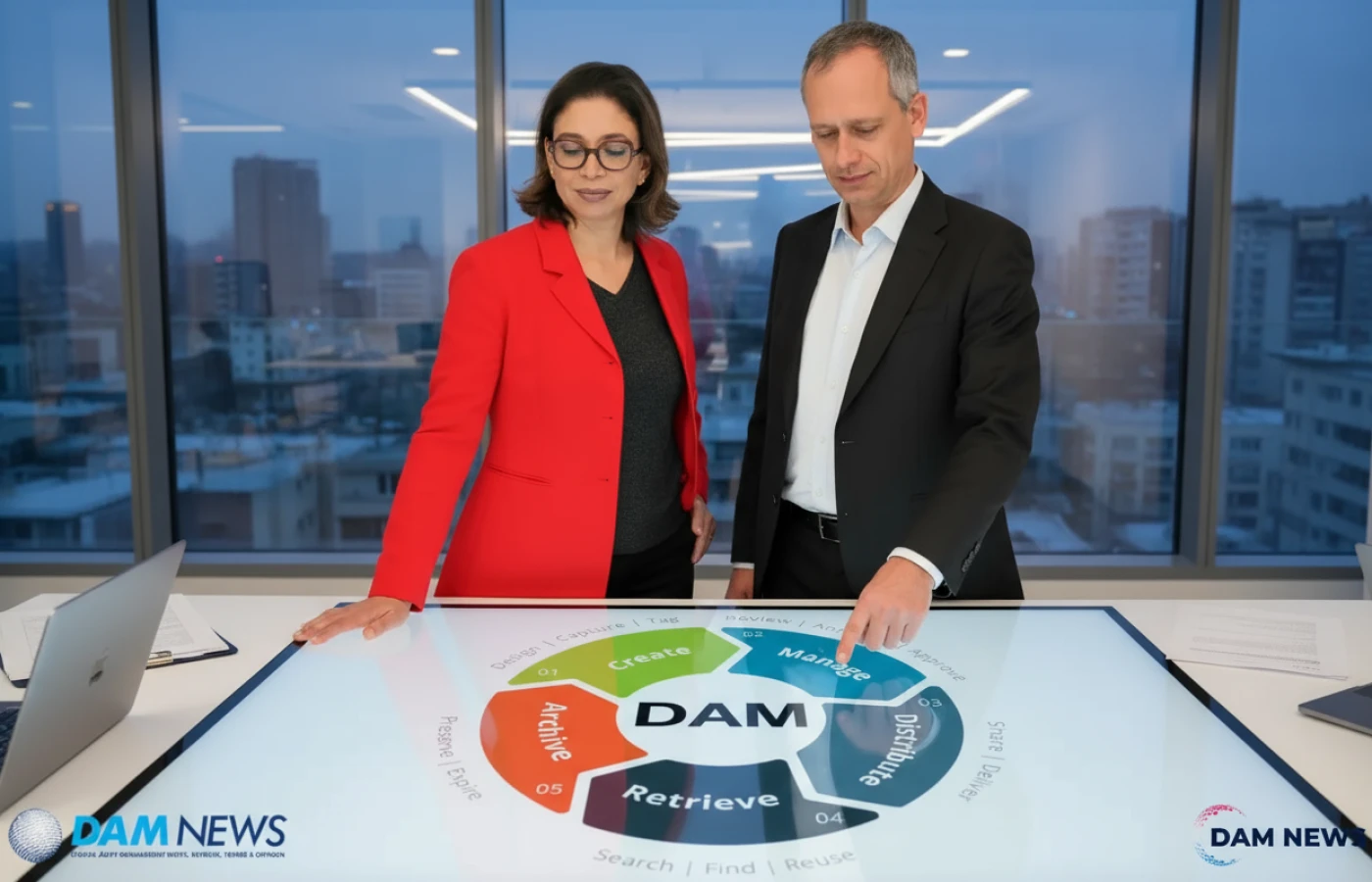
Not all digital asset management platforms offer the same features. When evaluating cloud DAM solutions, it is important to understand the capabilities that enable effective asset management. Below are key features to look for:
Metadata is the backbone of a DAM system. A robust solution allows users to define and enforce metadata schemas, including custom fields, hierarchies and controlled vocabularies. It should support auto‑tagging through AI, batch metadata editing and the ability to map metadata to external systems.
A powerful search engine is essential for locating assets quickly. Look for features such as faceted search, saved searches, filters by file attributes, boolean operators and full‑text indexing of documents. Some systems offer image similarity search or visual search to find assets based on color, composition or visual patterns.
Effective DAM platforms track versions of assets, allowing users to see the revision history and revert to earlier versions if needed. They also support multiple renditions—different file formats or sizes—linked to a single master asset. This ensures that users always access the appropriate rendition for web, print, social media or other channels.
Automated workflows streamline repetitive tasks and ensure consistent processes. Examples include automatic metadata assignment on upload, routing assets for approval, sending notifications to stakeholders, generating derivative files (e.g., thumbnails or lower‑resolution copies) and archiving assets when they expire.
Granular access control protects sensitive assets and ensures compliance. A DAM should allow administrators to define roles (e.g., viewer, contributor, reviewer, administrator) and set permissions at the asset, collection or folder level. It should support watermarked previews for unauthorized users and track user activity for auditing.
Some DAM platforms provide basic editing capabilities, such as cropping images, applying filters, trimming videos or converting file formats. Built‑in editors enable users to make minor adjustments without leaving the platform. Transformation features allow users to download assets in specific sizes or formats tailored to their needs.
Integration capabilities enable a DAM to become a central hub within your technology ecosystem. Native integrations with CMS, PIM, marketing automation tools, social media platforms, project management software and creative suites (e.g., Adobe Creative Cloud, Canva) reduce manual steps. An open API allows developers to build custom integrations and automate asset workflows across systems.
Given the sensitive nature of digital assets, security features are critical. Look for enterprise‑grade encryption at rest and in transit, single sign‑on (SSO), two‑factor authentication, audit logs, user activity reporting and compliance with standards such as GDPR, SOC 2 and ISO 27001. Multi‑tenant cloud architectures should isolate each customer’s data to ensure confidentiality.
A cloud DAM should be able to ingest large files (e.g., high‑resolution video), support high user concurrency and deliver fast response times globally. Scalability ensures the platform can accommodate growing asset libraries and user bases without performance degradation.
Analytics dashboards provide insights into how assets are used, who is using them and where they are being published. Reports may include download counts, top performing assets, user activity, asset lifecycle status and ROI metrics. These insights inform content strategy and help justify investment in DAM.
With teams often working on the go, mobile‑friendly interfaces and apps enable users to access, view, approve and share assets from smartphones or tablets. A responsive web design ensures the DAM interface works seamlessly across devices and screen sizes.

Selecting a cloud‑based digital asset management platform involves evaluating your organization’s specific needs, workflows and future growth. Below are considerations and steps to guide your selection process.
Start by identifying the types of assets you need to manage, who will use the system and what business goals you aim to achieve. Consider the volume of assets, the complexity of your taxonomy, the number of users, the frequency of asset updates and the distribution channels. Clarify whether you require advanced features like AI auto‑tagging, automatic image resizing or integrations with certain tools.
Document your current asset management processes and identify inefficiencies, bottlenecks and risks. For example, you may struggle with inconsistent file naming, duplicate assets, lengthy approval cycles or difficulty tracking usage rights. Understanding these pain points will help you prioritize features that address them.
Consider the range of users who will interact with the DAM—creative teams, marketing, sales, external agencies, partners and legal departments. Define roles and permissions based on their responsibilities. This will ensure the solution you choose supports the necessary access controls.
List the systems the DAM must integrate with. If your organization relies on a particular CMS, PIM, CRM, marketing automation platform or design tool, ensure the DAM offers native connectors or an open API. Integration reduces manual effort, ensures metadata consistency and enables automated content delivery.
Shortlist vendors based on the features they offer. Request demos and trial accounts to test usability. A good DAM should have an intuitive user interface, straightforward navigation and a minimal learning curve. Consider how easily users can upload, tag, search, share and collaborate on assets.
Ensure the platform can handle your current asset library and scale to meet future growth. Ask vendors about their infrastructure, data centers, content delivery network (CDN) and strategies for ensuring uptime and performance. Evaluate whether the system can support large file sizes and concurrent users.
DAM pricing models vary—some are subscription‑based with tiered storage, others charge by the number of users or features. Factor in implementation costs, training, support, storage fees and any additional modules. Compare total cost of ownership against the benefits and efficiency gains the platform will deliver.
Ask vendors about their security protocols, compliance certifications and data protection measures. Ensure they comply with regional regulations (e.g., GDPR) and industry standards. Look for features like SSO, SAML, two‑factor authentication and granular auditing.
Evaluate the vendor’s track record, customer references and industry reputation. Consider the quality of their customer support, training resources and community forums. A responsive vendor with a proven implementation process can significantly impact the success of your DAM deployment.
Finally, consider how you will migrate existing assets into the DAM. Develop a taxonomy and metadata strategy, plan for user training and align stakeholders on new workflows. A successful rollout requires change management—communicating the benefits, training users and adjusting processes to fully leverage the DAM’s capabilities.
There are numerous cloud‑based DAM solutions on the market, each with its own strengths and target industries. Below are a few noteworthy platforms to explore:
When evaluating DAM providers, consider how each platform aligns with your requirements—industry focus, user experience, feature set and integration capabilities. Request demos, speak with customers and conduct proof‑of‑concept trials to ensure the chosen platform meets your needs.
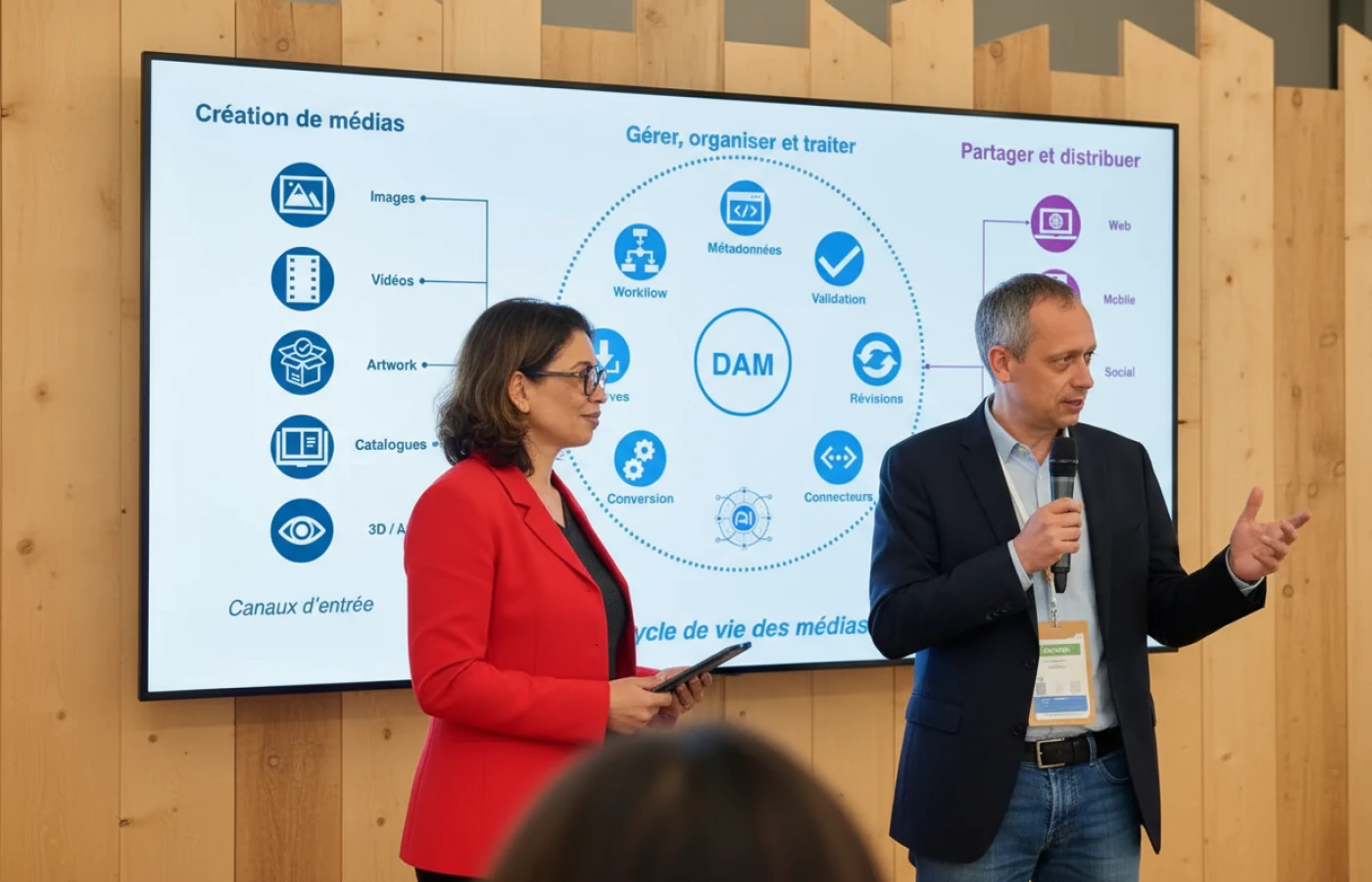
Managing digital assets effectively is essential for organizations that produce large volumes of media and content. While cloud storage services like Google Drive, OneDrive and Dropbox are convenient and widely used, they are not substitutes for a dedicated digital asset management system. A true DAM provides sophisticated metadata management, workflow automation, version control, user permissions, integration with other tools and robust search capabilities.
Cloud‑based digital asset management platforms deliver these capabilities with the added benefits of scalability, accessibility, reduced infrastructure costs and ongoing vendor support. They empower teams to locate assets quickly, collaborate efficiently, maintain brand consistency and deliver content seamlessly across channels. As your organization grows and your content library expands, a cloud‑based DAM becomes a strategic investment that saves time, reduces costs and enhances your ability to deliver compelling, consistent experiences to your audiences.
By understanding the distinctions between cloud storage and digital asset management and by carefully evaluating your needs, you can select the right DAM platform to transform how your organization manages and leverages its digital assets.

Interested in a joint project, a web demo or just getting to know us? We'll get back to you as soon as possible.
