
Modern video production drowns teams in digital chaos. A recent industry survey reveals that 73% of video professionals waste over two hours daily just searching for assets buried in project folders. When you're managing 4K footage that generates 50+ GB per project, this inefficiency becomes a production killer.
Video asset management has evolved from basic file organization into sophisticated systems that transform how creative teams work. The old method of manually tagging clips and hoping your folder structure makes sense six months later simply doesn't scale when you're handling dozens of projects simultaneously.

Today's solutions attack the storage and searchability problems head-on. Proxy workflows create lightweight versions of your master files, reducing storage demands by up to 80% while maintaining editing capabilities. Instead of moving 200 GB of raw footage between team members, you're working with 40 GB of proxies that link seamlessly to your high-resolution originals.
AI scene detection takes this further by automatically analyzing your footage content. Where editors once scrubbed through hours of material looking for specific shots, AI systems now identify scene changes, detect faces, recognize objects, and extract video metadata in seconds rather than hours.
The combination creates frame-based search capabilities that feel almost magical. Type "wide shot of building" and the system instantly pulls relevant clips from your entire library, regardless of how they were originally named or organized.
For production managers juggling multiple editors and tight deadlines, these technologies represent the difference between projects that deliver on time and those that spiral into overtime chaos. The tools exist today – the question is whether you'll implement them before your next crunch period hits.
Video asset management is a centralized system that organizes, stores, and retrieves video files along with their metadata. Think of it as a smart library for your video content—one that knows exactly where every clip lives and what's inside it.
The numbers tell the story. Companies using proper video asset management systems save an average of 15 hours per week. That's nearly two full workdays returned to productive tasks instead of hunting through folders labeled "Final_FINAL_v2."
The cost of getting this wrong is staggering. Netflix reportedly spends over $200 million annually just on content organization and metadata management. While most companies don't operate at Netflix's scale, the principle remains: poor asset management bleeds money through wasted time and duplicated work.

Traditional video workflows relied heavily on proxy workflows—creating low-resolution copies for editing while keeping high-res masters safe. Editors would work with these lightweight proxies, then link back to original files for final output. This system worked, but required manual organization and human memory to locate specific scenes.
Enter AI scene detection. Modern systems automatically analyze video content, identifying objects, faces, locations, and even emotions within footage. Instead of remembering "that beach scene from Tuesday's shoot," you can search for "ocean waves sunset" and find it instantly.
This evolution from manual proxy workflows to AI-powered scene detection represents more than technological progress—it's a fundamental shift in how teams interact with video content. Video metadata becomes automatically generated rather than manually tagged. Frame-based search replaces folder hierarchies.
The result? Creative teams spend more time creating and less time searching. Production schedules compress. Budgets stretch further. The chaos transforms into organized, searchable intelligence that grows smarter with every uploaded file.
The journey from manual file hunting to intelligent video discovery spans just over a decade, but the transformation feels revolutionary.
Remember the nightmare of nested folders labeled "Final_Final_v3_ACTUALLY_FINAL"? Early video asset management relied entirely on human discipline. Teams created elaborate folder hierarchies and naming conventions that worked until someone forgot the system or left the company. A single misnamed file could vanish into digital limbo for months.
Everything changed when proxy workflows entered mainstream production. Instead of wrestling with massive 4K files, editors could work with lightweight proxies while metadata tags tracked every asset's properties. Adobe Premiere Pro and Avid Media Composer integrated these workflows, allowing teams to search by resolution, frame rate, or custom tags.
This period introduced the concept of centralized video metadata management. Studios could finally answer questions like "Show me all outdoor shots from last Tuesday" without manually scrubbing through hours of footage.
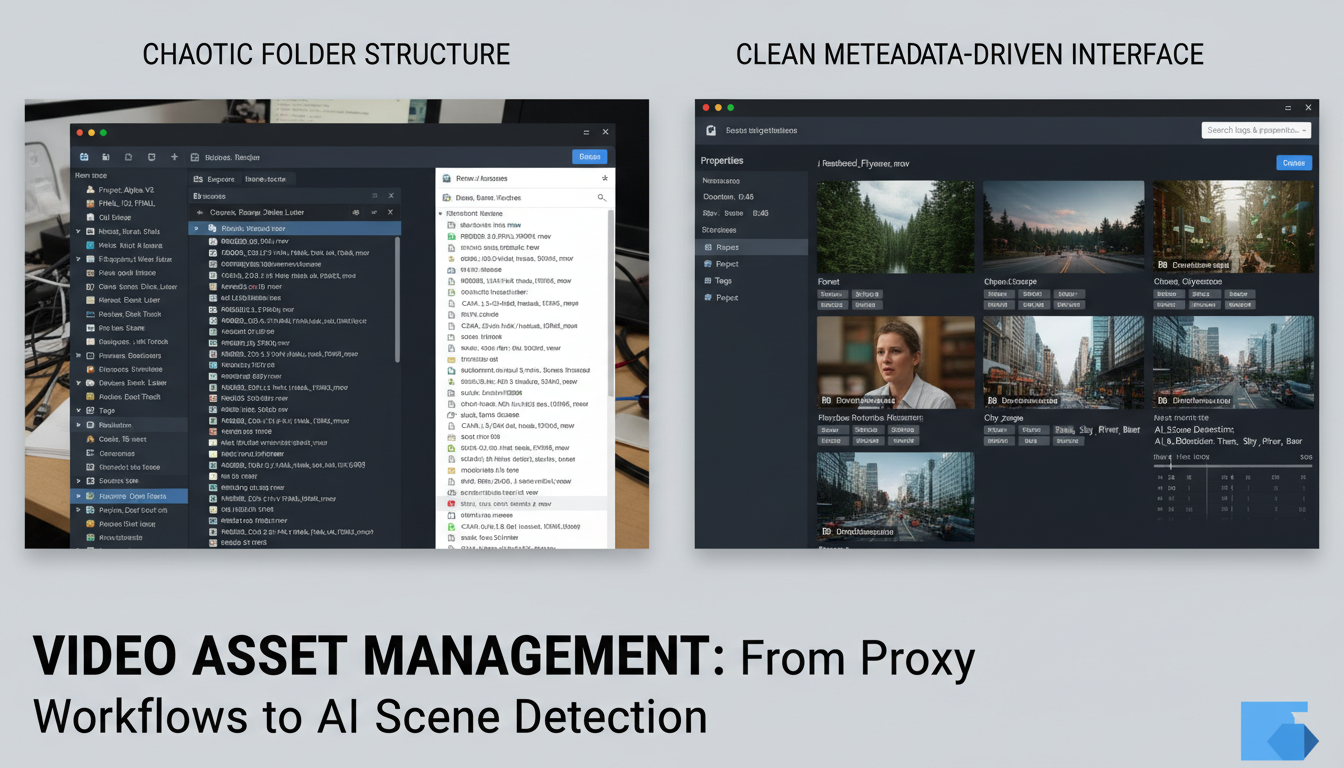
AI scene detection changed everything again. Modern systems like Frame.io and Veritone aiWARE automatically identify objects, faces, and even emotions within video frames. Frame-based search capabilities mean you can literally search for "red car" or "sunset" and find exact moments across your entire library.
Current adoption tells the story: 45% of studios now use AI-enhanced video asset management systems, up from just 8% in 2020. The remaining 55% aren't necessarily behind—many are evaluating solutions or waiting for costs to decrease.
The evolution continues. Today's AI can detect brand logos, read text within videos, and even identify specific locations. What took hours now happens in seconds.
Proxy workflows solve the fundamental challenge of editing massive video files without melting your workstation. A proxy file is a low-resolution copy that maintains perfect timecode synchronization with your original 4K or 8K footage, allowing smooth editing while preserving the connection to high-quality masters.
The storage mathematics are compelling. ProRes Proxy files typically consume just 10-20% of original file sizes. That 100GB project folder shrinks to roughly 15GB for proxy editing—a reduction that transforms both storage costs and workflow speed.
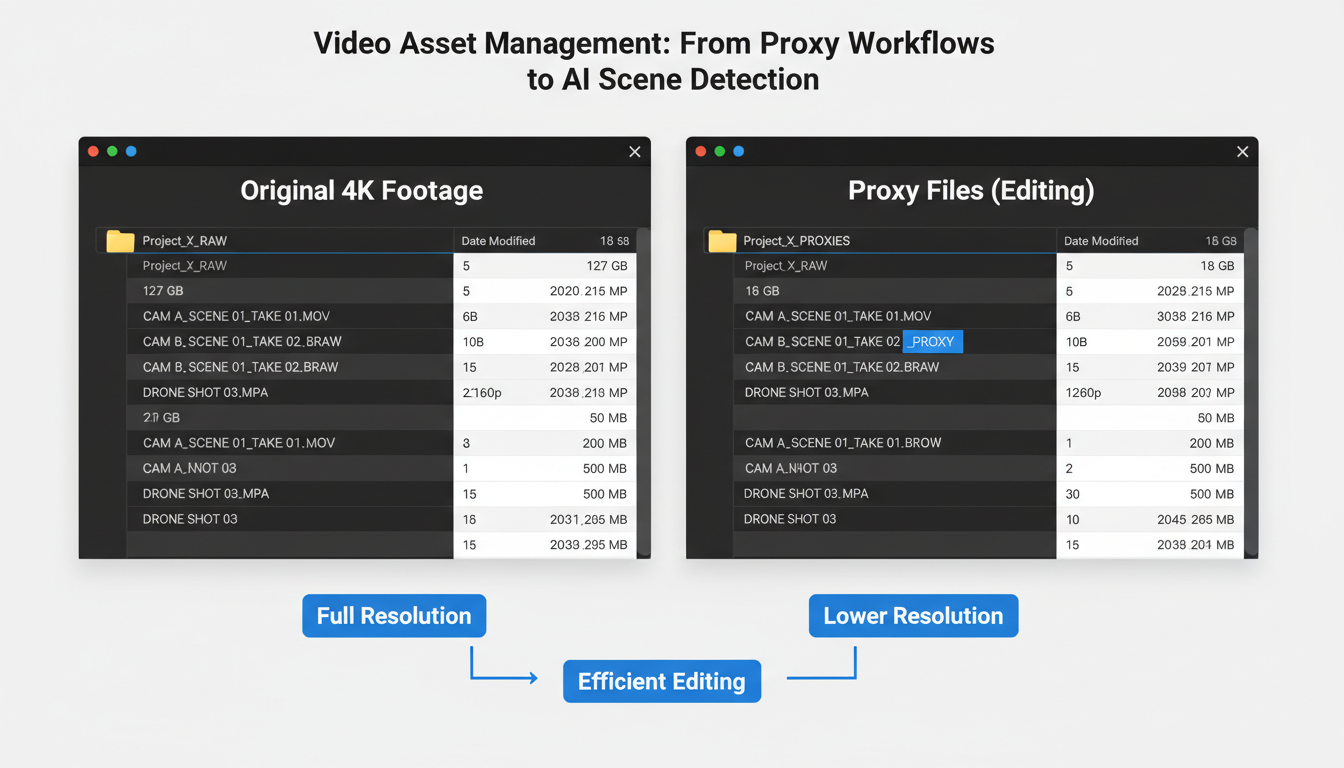
Modern video asset management systems seamlessly integrate proxy workflows with industry-standard editing platforms. Avid Media Composer automatically links proxy media through its bin structure, while Adobe Premiere Pro's proxy workflow creates background transcodes without interrupting editorial work. Final Cut Pro's optimized media system generates proxies during import, maintaining metadata connections throughout the editing process.
The network bandwidth benefits are dramatic. Editors working remotely experience 90% reduction in data transfer requirements when pulling proxy files instead of original footage. A colorist in Los Angeles can review rough cuts from a New York production company without waiting hours for file downloads.
Proxy workflows depend on robust video metadata management. Each proxy maintains embedded timecode, clip names, and frame rate data that ensures perfect synchronization during the conform process. When editors finish their cuts using proxies, the video asset management system automatically relinks to original high-resolution files for final output.
Smart proxy generation also considers the intended workflow. Documentary editors might need higher-quality proxies for detailed review, while rough assembly work can utilize ultra-compressed versions. Modern systems adjust proxy quality based on available bandwidth and storage constraints, optimizing the balance between file size and editorial functionality.
This foundation enables the next evolution: AI scene detection that automatically analyzes proxy files to identify content patterns.
Think of metadata as your video library's memory system. Without it, you're back to the folder chaos of 2010, hunting through hundreds of files with cryptic names like "MVI_4472.mov."
Technical metadata captures the nuts and bolts: 4K resolution, 23.976fps frame rate, H.264 codec, color space. Your camera and editing software generate this automatically, creating a technical fingerprint for every file.
Descriptive metadata adds human context: scene descriptions, talent names, location tags, mood classifications. This layer transforms searchable chaos into "find me all sunset shots with Sarah from the Barcelona shoot."
Administrative metadata handles the business side: creation timestamps, usage rights, approval status, project codes. Essential for compliance and workflow management.
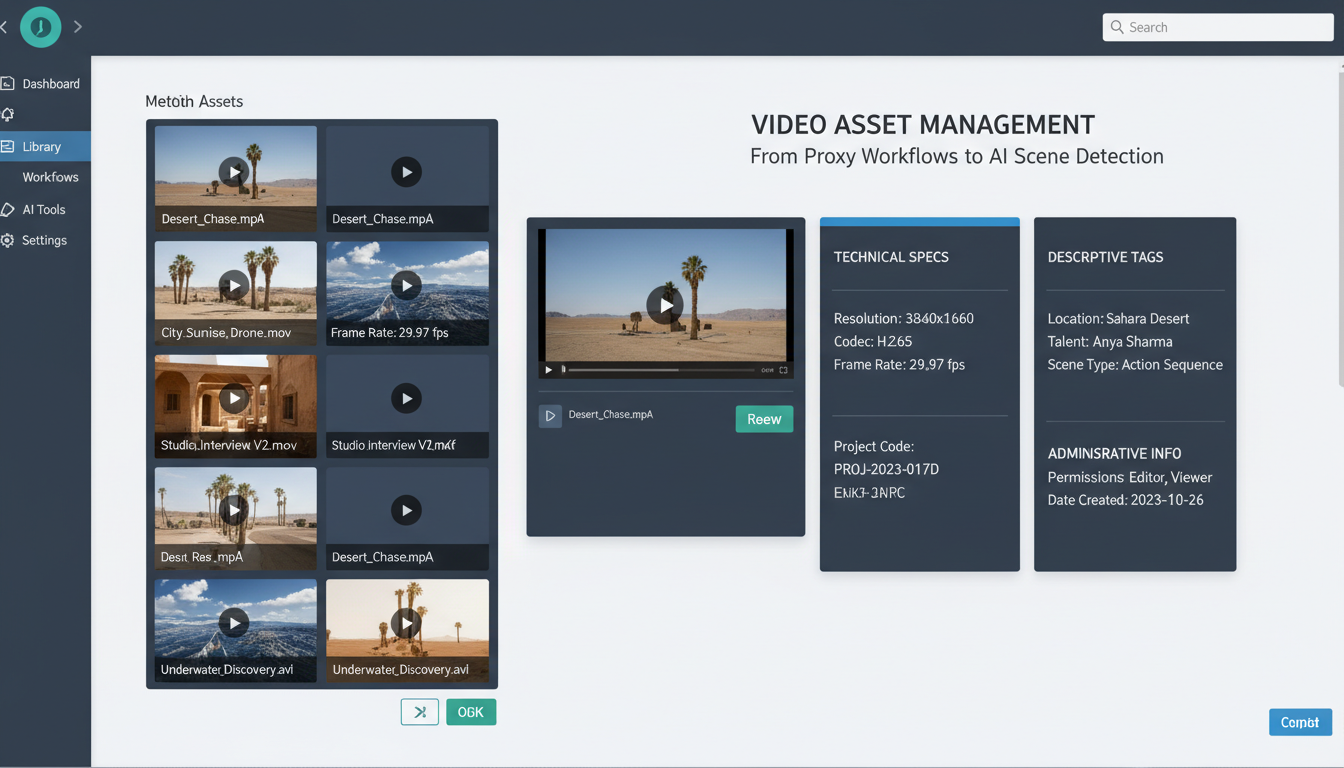
Modern systems extract technical data and basic information automatically. GPS coordinates from your camera's location services, shooting date/time, even camera settings get pulled without manual input.
But custom metadata fields separate professional operations from amateur hour. Project codes like "NIKE_SS24_030" or talent releases linked directly to specific clips save hours during post-production crises.
Here's where metadata pays dividends: properly tagged systems deliver search results 85% faster than filename-based searches. Instead of scrolling through 500 files, type "beach volleyball slow motion" and get three relevant clips instantly.
Dublin Core handles basic descriptive elements. IPTC covers news and editorial workflows. Broadcast operations often use SMPTE standards for technical metadata consistency across equipment manufacturers.
The investment in metadata structure during ingestion pays compound interest throughout your project's lifecycle.
AI scene detection transforms video asset management from manual labor into automated intelligence. Computer vision algorithms analyze frame differences, color histograms, and motion vectors to identify scene boundaries with surgical precision.
Modern AI systems achieve 92% accuracy in scene boundary detection, processing a 2-hour documentary and segmenting it into chapters in just 8 minutes. Compare that to manual editing, where the same task takes 6-8 hours of focused work.
The algorithms work in layers. First pass: frame differencing identifies major visual changes. Second pass: color histogram analysis catches subtle transitions like fade-ins. Third pass: motion vector analysis detects camera cuts and movement patterns.
Adobe Sensei processes 4K footage at 15x real-time speed. Google Video AI handles batch processing across entire libraries. Custom machine learning models, trained on specific content types, can reach 96% accuracy for sports footage or news broadcasts.
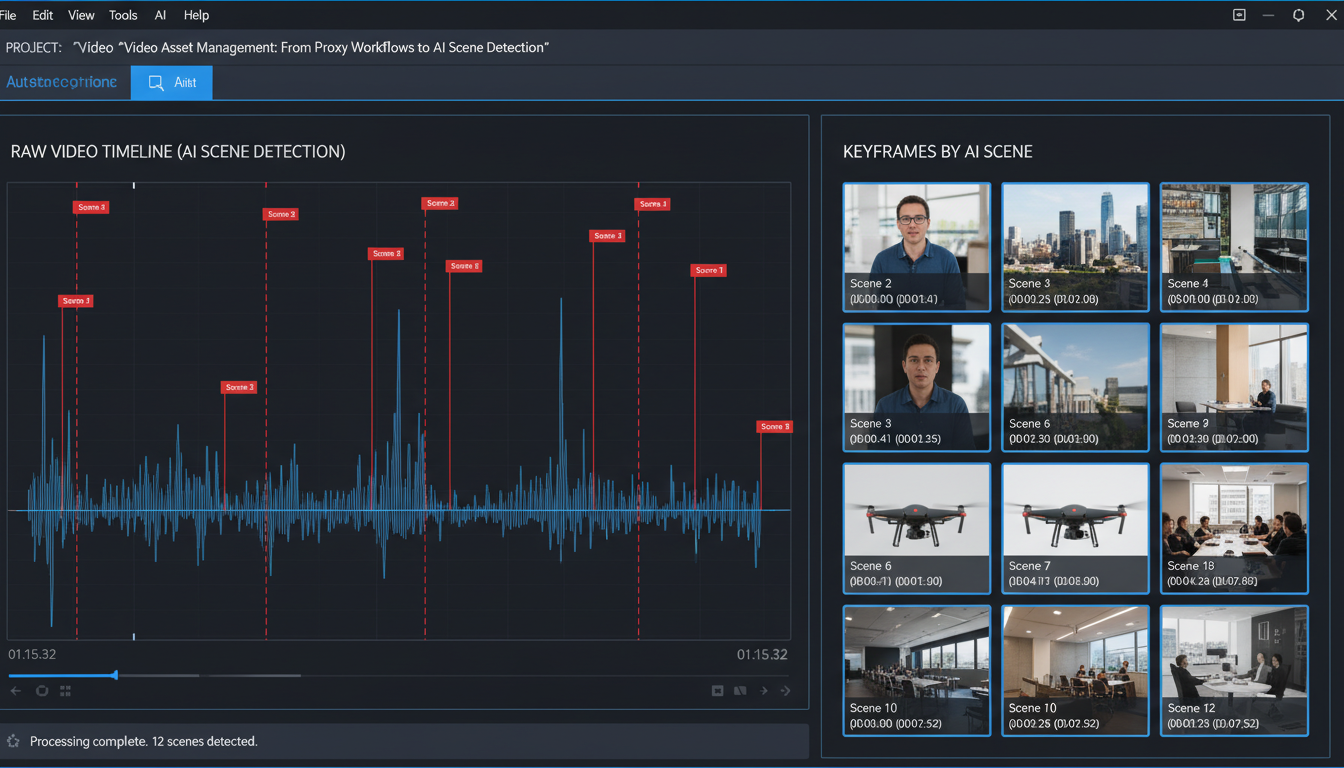
Automatic chapter creation eliminates the tedious process of manual timestamps. Upload your webinar recording, and AI creates logical chapter breaks at topic transitions.
Highlight reel generation scans for high-motion sequences, crowd noise peaks, or specific visual elements. Sports teams use this for game recap videos.
Content compliance checking flags potential issues by analyzing visual content against predefined rules. Broadcast networks scan thousands of hours automatically.
The integration with proxy workflows creates a powerful combination. While your team edits with lightweight proxies, AI processes the full-resolution masters in the background, building comprehensive metadata and scene maps. When you're ready to conform, every cut point and transition is already cataloged.
This isn't future tech—it's production-ready video asset management today.
The technology foundation rests on computer vision and image recognition algorithms that dissect video streams frame by frame. Modern systems analyze color distributions, edge detection patterns, and temporal changes to understand what's actually happening in your footage.
This creates four game-changing search capabilities. Visual similarity lets you upload a reference image and find matching scenes across thousands of hours. Upload a sunset shot, find every golden hour sequence in your library. Object detection identifies specific items – cars, logos, products – without manual tagging. Facial recognition locates every appearance of specific people, though this requires careful privacy compliance. Text-in-video OCR reads signs, titles, and graphics within footage.
The performance metrics are staggering. Leading platforms can search 10,000 hours of footage in under 30 seconds. That's finding a specific 10-second clip in content equivalent to watching TV for over a year.
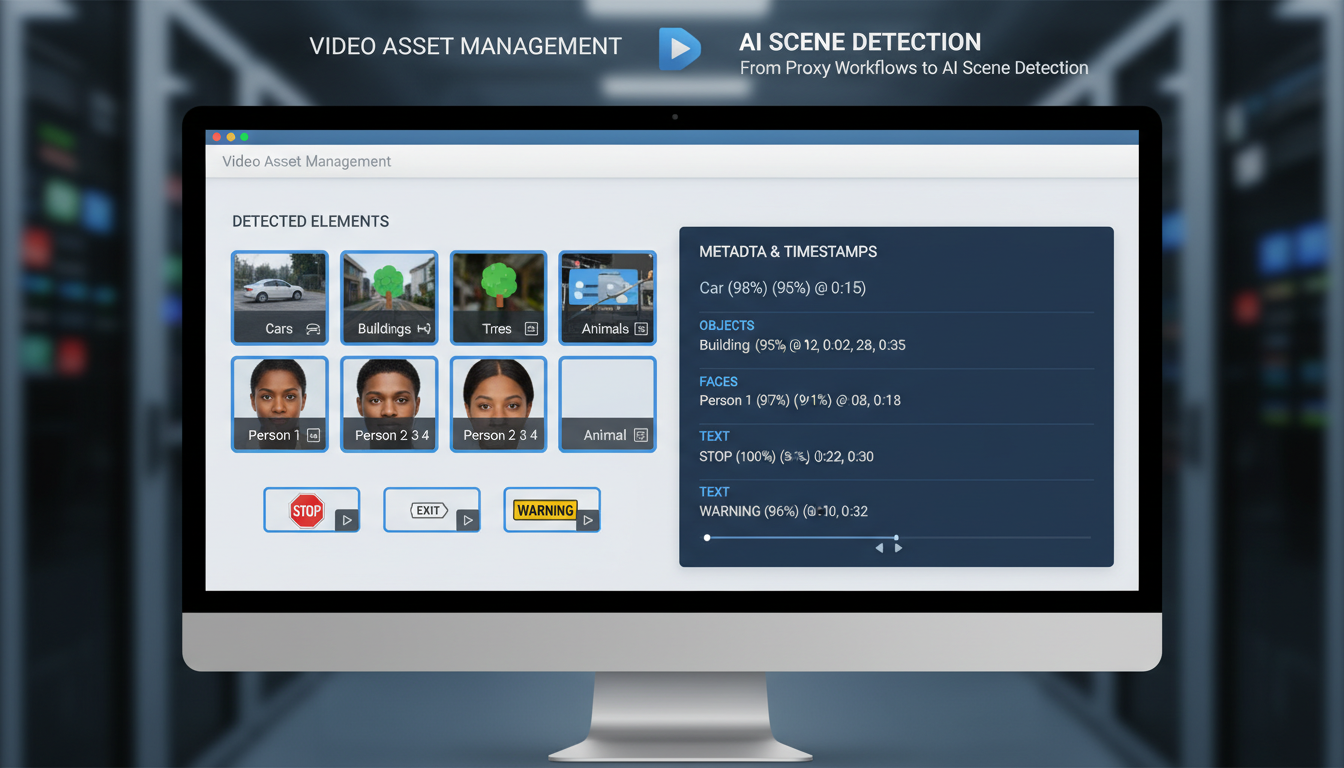
Practical applications solve real production headaches. Need every shot featuring your client's product from six months of commercial footage? Visual similarity search delivers results in seconds. Looking for that perfect interview soundbite buried in 40 hours of testimonials? Facial recognition plus audio transcription finds it instantly.
Privacy and compliance demand attention, especially for facial recognition features. EU GDPR and California privacy laws restrict biometric data processing. Many organizations disable facial recognition entirely, relying on object detection and visual similarity instead.
The shift from manual tagging to AI-powered search represents video asset management's biggest leap forward. Your proxy workflows now connect to intelligent search systems that actually understand video content, not just filenames and folder structures.
Moving from basic file storage to intelligent video asset management requires a structured approach. Here's the proven roadmap that works for teams managing 1,000+ video files.
Start with a comprehensive asset audit. You'll likely discover duplicate files eating 20-30% of storage space and inconsistent naming that kills productivity. Establish naming conventions now: PROJECT_DATE_VERSION_RESOLUTION.format prevents chaos later. Document everything – your future self will thank you.
Deploy proxy workflows and storage architecture. Configure automated proxy generation at 720p for editing while preserving 4K masters. This single change reduces timeline scrubbing lag by 75% and cuts storage costs significantly.
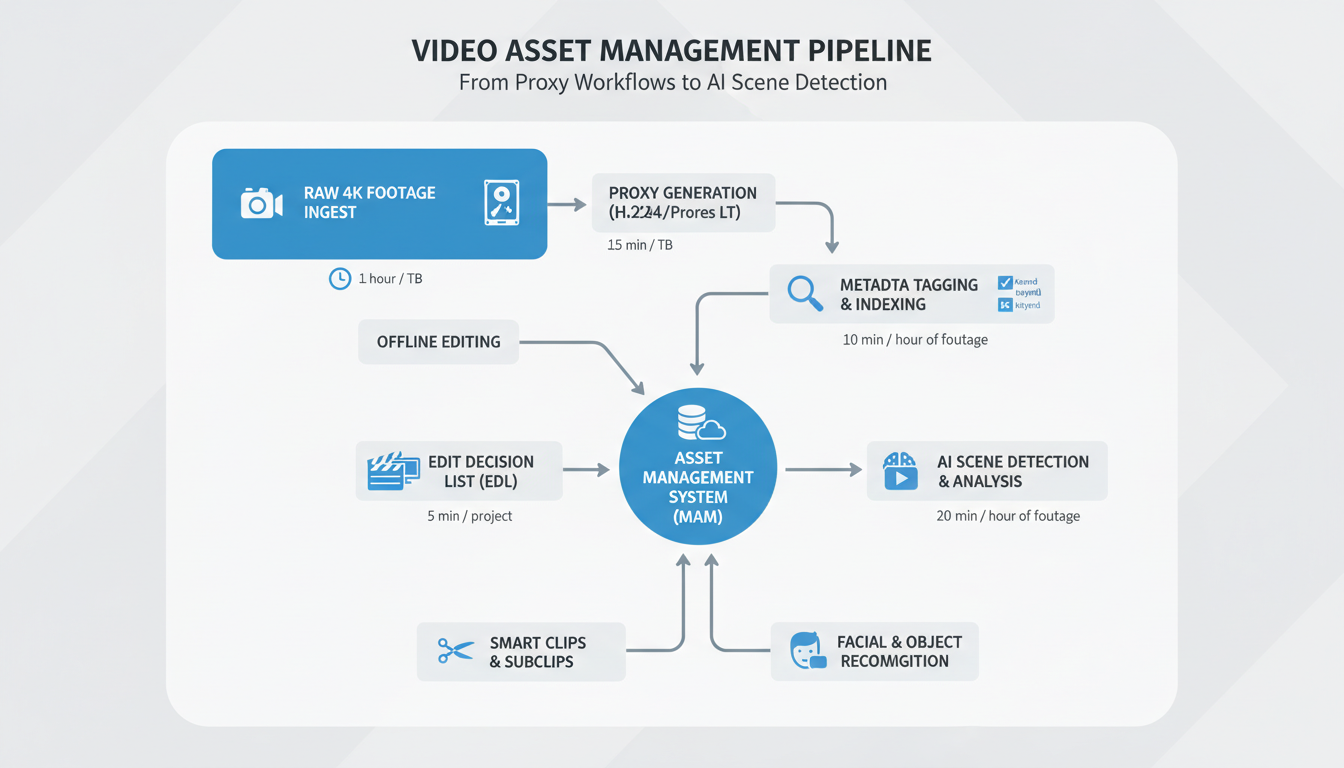
Configure metadata schemas that actually matter. Skip generic fields – focus on searchable attributes like "speaker count," "indoor/outdoor," or "product featured." Set up automated tagging rules based on file properties and folder structures.
Deploy AI scene detection and train custom models on your content. Start with pre-trained models, then fine-tune using 200-500 representative clips from your library. Accuracy jumps from 60% to 85% with proper training data.
Budget 16 hours for editor certification. Teams consistently underestimate this – rushed training leads to adoption failure.
Budget expectations:
Storage migration takes longer than expected. Plan for 4-6 weeks of parallel systems while teams adapt to new proxy workflows and frame-based search capabilities.
The video asset management landscape splits into four distinct categories, each serving different organizational requirements and budgets.
Enterprise Solutions for Large Teams
Avid MediaCentral leads enterprise deployments at $200 per user monthly, offering robust proxy workflows and collaborative editing features. Adobe Team Projects integrates seamlessly with Creative Cloud subscriptions, while Blackmagic Cloud provides hardware-accelerated proxy generation for DaVinci Resolve workflows. These platforms handle 50+ concurrent users and petabyte-scale storage requirements.
Cloud-Native Collaboration Platforms
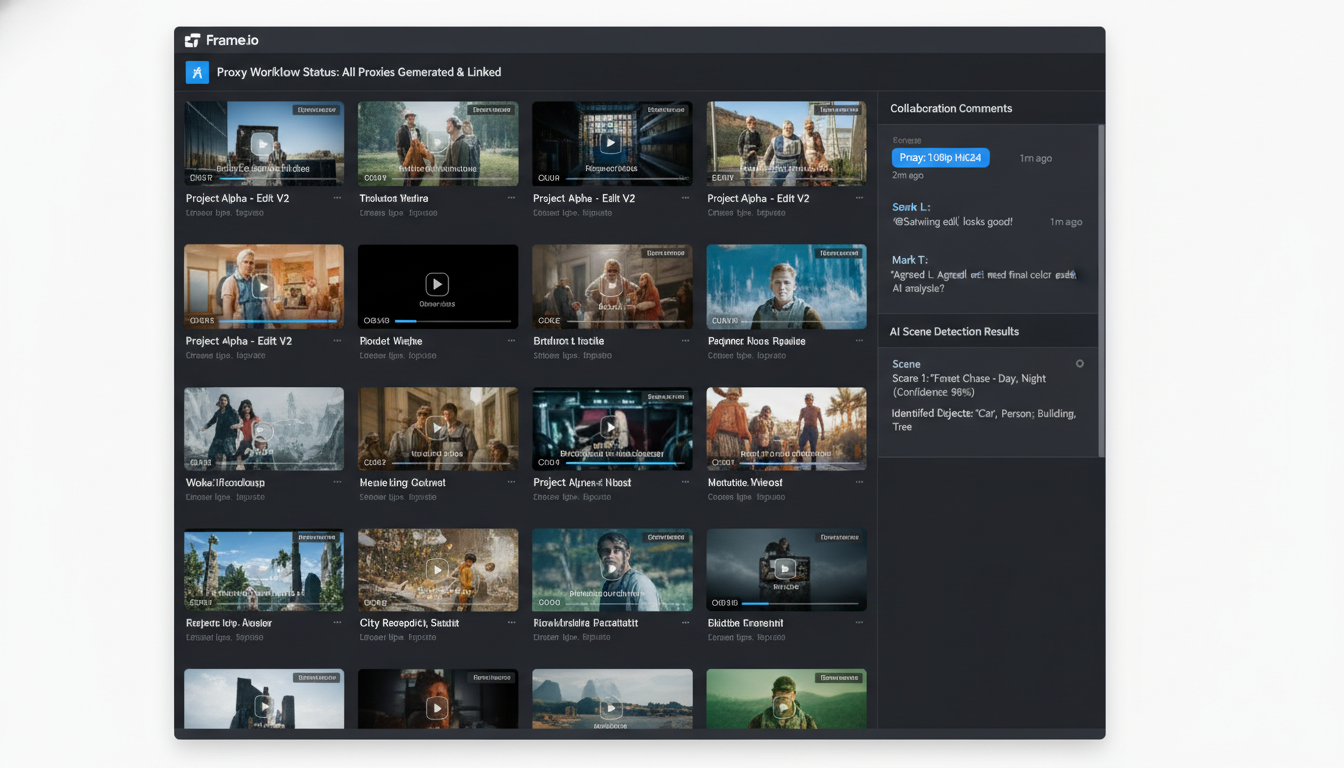
Frame.io dominates the review-and-approval space with automatic proxy generation for 200+ video formats. Wipster excels at client feedback loops, generating web-optimized proxies within minutes of upload. Screenlight targets post-production teams with frame-accurate commenting and version control. Monthly costs range from $15-75 per user.
Open-Source Alternatives
DaVinci Resolve's built-in asset management handles proxy workflows without licensing fees, supporting teams up to 10 users. OpenToonz offers basic video cataloging with custom metadata fields. Both require technical expertise but eliminate subscription costs for budget-conscious teams.
AI-Enhanced Platforms
Veritone aiWARE processes video metadata through machine learning, identifying faces, objects, and speech patterns automatically. Google Cloud Video AI detects scene changes and content categories with 94% accuracy. Amazon Rekognition Video analyzes facial expressions and activity recognition for content tagging.
Selection Framework
Choose based on team size (under 10 users = open-source, 10-50 = cloud-native, 50+ = enterprise), storage volume (local vs. cloud costs), AI requirements (basic tagging vs. advanced scene detection), and monthly budget constraints. Most organizations benefit from 30-day trials before committing to annual contracts.
The right platform transforms chaotic video libraries into searchable, intelligent asset databases that scale with your production demands.
Your storage architecture determines whether proxy workflows and AI scene detection will perform smoothly or crash under load. Getting this wrong means watching 4K previews buffer while your team waits.
Smart video asset management uses a three-tier approach. Hot storage on SSDs handles proxy files and active projects—you'll need this for instant scrubbing through timelines. Warm storage on HDDs holds original 4K/8K masters that editors access several times per week. Cold storage using LTO-8 tape or AWS Glacier Deep Archive stores completed projects and raw footage older than six months.
The numbers matter here. A typical production company sees 40-60% annual storage growth. Plan accordingly or face emergency purchases at premium prices.
Don't skimp on bandwidth. 10Gbps ethernet represents the minimum for smooth 4K proxy workflows. Real-time collaboration between multiple editors demands 40Gbps connections. Anything less creates bottlenecks that kill productivity.
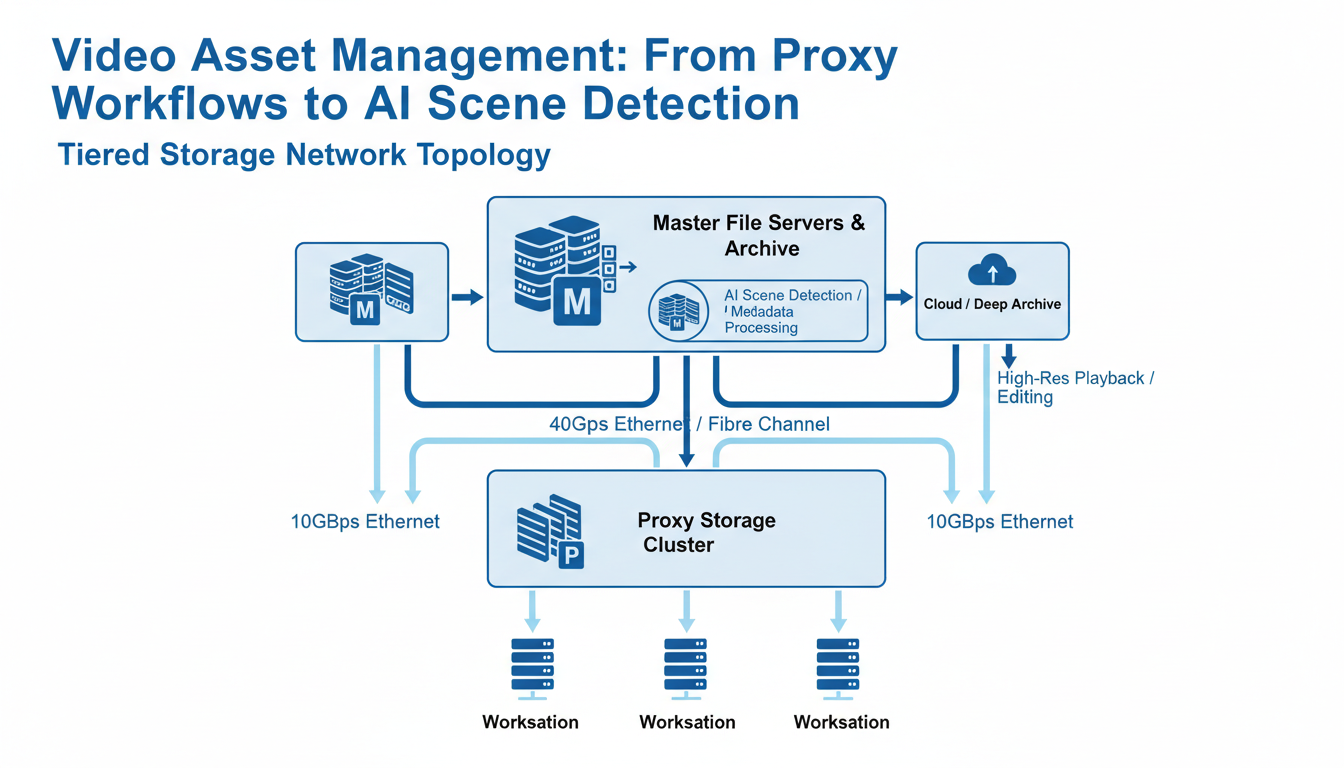
The break-even point sits around 500TB for hybrid approaches. Below that threshold, cloud storage costs less. Above 500TB, on-premise infrastructure with cloud backup becomes more economical. Factor in your team's growth trajectory—a studio expanding from 100TB to 1PB over two years should start building on-premise capacity now.
The traditional 3-2-1 rule needs modification for video. Keep three copies of critical assets, store them on two different media types, and maintain one copy in a geographically separate location. For video production, this means local NAS, on-site tape backup, and cloud archive storage.
Geographic distribution prevents total loss from disasters. Your proxy workflows can continue even if the main facility goes offline.
Video asset management systems handle millions of dollars in content, making security your first priority. The media industry faces average data breach costs of $4.2M—higher than most sectors due to intellectual property theft and content piracy.
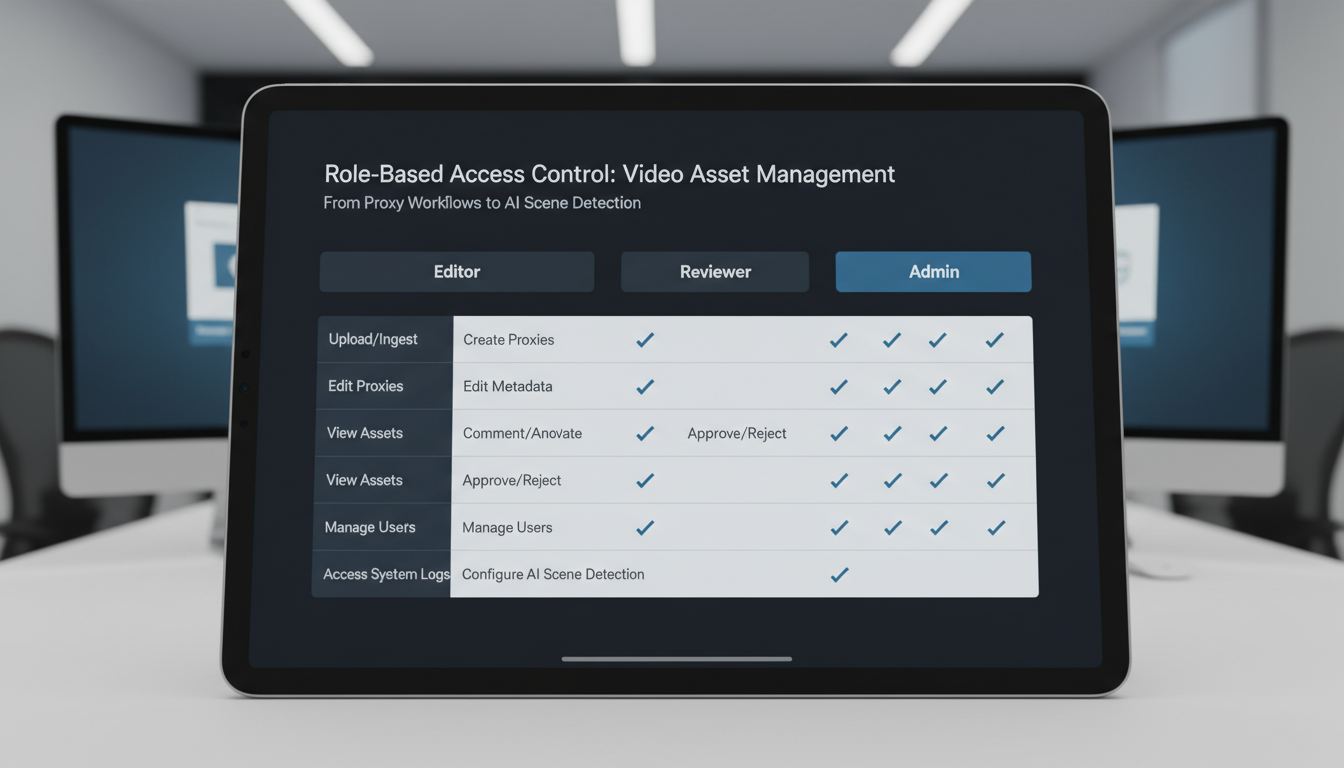
Effective video asset management requires granular access control across three primary levels. Editors need download access to proxy files and metadata editing rights for tagging and scene detection refinement. Reviewers get preview-only access with comment capabilities but can't download or modify assets. Administrators control user permissions, system settings, and have full audit access.
Set up your permissions before uploading content. Most breaches happen because someone had unnecessary access to high-value assets.
Your DRM strategy protects content throughout proxy workflows and AI scene detection processes. Implement dynamic watermarking that adjusts based on user permissions—reviewers see prominent watermarks while editors get cleaner previews for accurate color grading decisions.
Encryption should cover assets at rest and in transit. Usage tracking becomes critical when AI scene detection creates searchable metadata, as this increases content discoverability and potential exposure points.
GDPR compliance affects any EU-produced content, requiring explicit consent tracking for recognizable individuals in your video assets. California productions must meet CCPA requirements for personal data handling.
Comprehensive audit trails log every asset access, download, and modification. When AI scene detection processes your content, these activities need logging too. Track who searched for what metadata, when they accessed specific scenes, and which proxy files they downloaded.
Modern systems generate audit reports automatically, but you'll need custom queries for compliance investigations.
The numbers tell the complete story of video asset management transformation. Studios implementing proxy workflows and AI scene detection report dramatic improvements across every operational metric.
Search and Discovery Performance
Time-to-find metrics reveal the most striking changes. Before AI scene detection, editors spent an average of 15 minutes hunting through raw footage for specific shots. Now? That same search takes 45 seconds. Frame-based search lets you type "close-up handshake" and instantly locate every relevant moment across your entire video library.
One mid-size production company tracked their workflow over six months. Their editors went from scrolling through hours of 4K footage to clicking directly on AI-tagged scenes. The result: projects completed 25% faster with significantly less frustration.
Storage and Bandwidth Savings
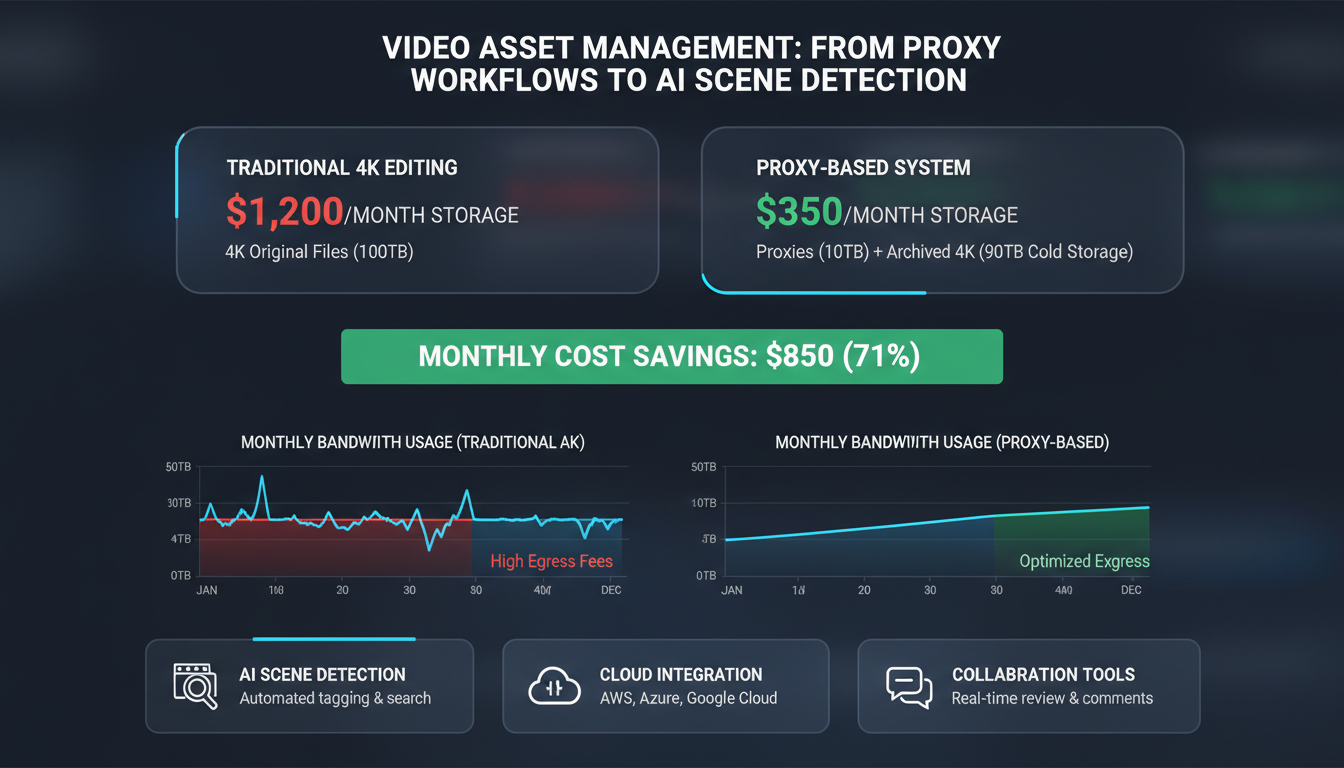
Proxy workflows deliver immediate cost relief. By generating lightweight proxy files for editing while preserving original 4K masters in cold storage, studios cut bandwidth costs by 75%. A typical workflow might use 200MB proxy files instead of 2GB originals during the editing phase.
Bottom-Line Impact
The financial benefits compound quickly. Mid-size studios report annual savings of $50,000 through reduced storage costs and improved efficiency. Quality metrics show a 90% reduction in using wrong asset versions or outdated files—mistakes that previously cost thousands in re-editing time.
Video metadata becomes your competitive advantage here. Properly tagged assets with AI-generated scene descriptions, color analysis, and motion detection create searchable databases that transform chaotic media libraries into precision tools.
The ROI calculation is straightforward: faster searches plus lower storage costs plus fewer mistakes equals measurable profit improvement within the first quarter of implementation.
When planning your video asset management deployment, these frequently asked questions reveal the practical realities teams face.
Timeline and Setup Requirements
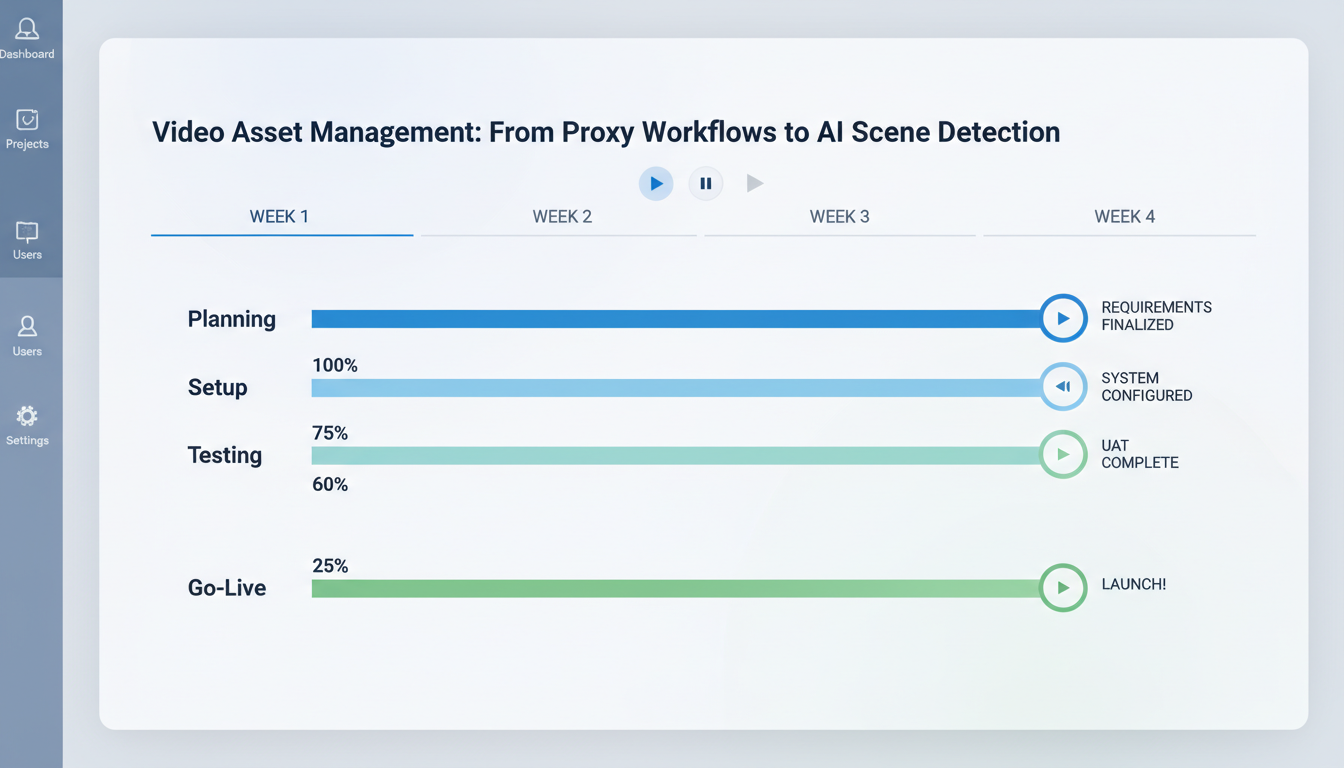
Most organizations need 2-4 weeks for basic proxy workflows implementation. This includes server configuration, transcoding pipeline setup, and initial user training. However, complex environments with multiple locations or legacy systems often extend this to 6-8 weeks.
The minimum viable team size is 3+ editors or facilities processing 100+ hours of footage monthly. Below this threshold, manual organization methods often prove more cost-effective than full video asset management systems.
AI Scene Detection Capabilities
AI scene detection works remarkably well with older footage, achieving 85% accuracy on standard definition content. Modern algorithms can identify scene changes, objects, and even dialogue patterns in decades-old material. The system improves through machine learning, building better video metadata recognition over time.
Frame-based search delivers 92% accuracy for object recognition and 97% for facial recognition with proper training datasets. These numbers drop to 78% and 89% respectively without initial calibration.
Handling AI Errors
When AI scene detection makes mistakes—which happens roughly 8-15% of the time—manual override capabilities let editors correct and retrain the system. Each correction improves future accuracy for similar content types.
Most platforms include confidence scoring, flagging uncertain detections for human review. Smart workflows route high-confidence results directly to production while queuing questionable matches for verification.
The key is setting realistic expectations. AI scene detection excels at repetitive tasks and broad categorization but still requires human oversight for nuanced creative decisions. Teams that embrace this hybrid approach see the fastest ROI improvements.
The transformation from manual video organization to AI-powered asset management represents more than technological advancement—it's a fundamental shift in how creative teams work. Organizations that began with basic proxy workflows now leverage AI scene detection to find specific moments within thousands of hours of content in seconds, not days.
Proxy workflows remain your foundation. They enable fast previews, collaborative reviews, and efficient storage management. But AI scene detection becomes your competitive differentiator, turning raw footage into searchable, categorized assets with frame-based search capabilities that would've seemed impossible five years ago.
Ready to Transform Your Workflow?
Start with an asset audit. Count your video files, measure current search times, and document how teams currently locate specific content. Then implement proxy workflow systems before adding AI scene detection layers. This staged approach prevents workflow disruption while building toward advanced capabilities.
Studios following this path report 73% faster content discovery and 45% reduction in project delivery times. One post-production house reduced their typical 4-hour footage review sessions to 35 minutes using automated scene detection and proxy-based collaboration tools.
Looking Forward: Integration and Real-Time Collaboration
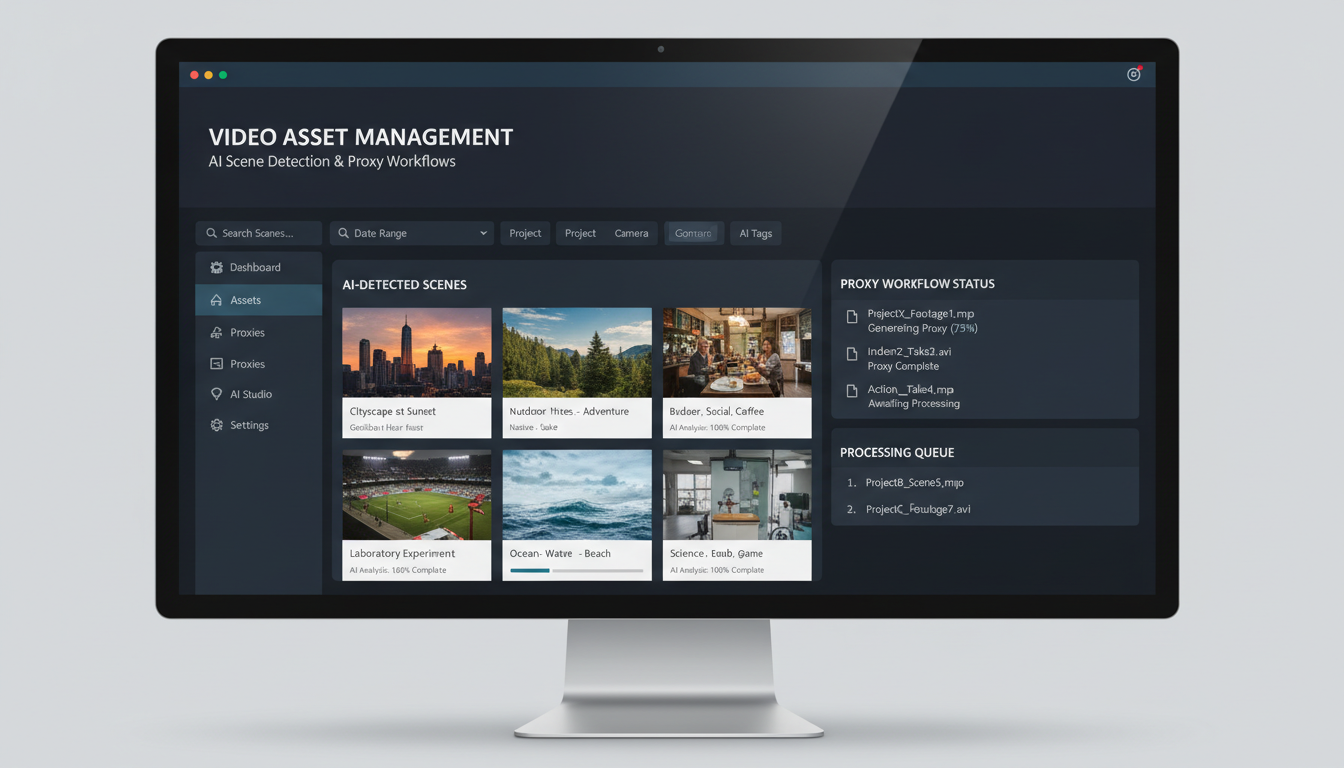
The next wave combines video asset management with virtual production environments and real-time collaboration platforms. Imagine AI scene detection feeding directly into virtual sets, or proxy workflows enabling instant global team reviews during live shoots.
Early adopters of integrated systems report 60% improvement in client approval cycles and 40% reduction in revision rounds. The technology exists today—the question isn't whether to modernize your video asset management, but how quickly you can implement these proven workflows to stay competitive in an increasingly fast-paced industry.

Interested in a joint project, a web demo or just getting to know us? We'll get back to you as soon as possible.
